


Here on "Beatrix on Email" I often post AppleScripts which can be used with Mail or Outlook. Usually, I post the full script which the user has do copy-and-paste into ScriptEditor. Making downloads for each script would be annoying.
However, scripts on MacScripter have a link "Open this Scriptlet in your Editor".

Using Xojo to make a linkable AppleScript
Surely, I could find out how this works. And yes, it's quite simple to do. I made a one line Xojo app with the following code:
TextArea2.Text = "applescript://com.apple.scripteditor?action=new&script=" + EncodingToURLMBS(TextArea1.Text)
The ScriptEditor has a url handler. Those open other apps with a url like http: for Safari or Chrome or mailto: for an email. The information after the : tells the ScriptEditor to make a new script. All urls have a special form where instead of a space a %20 is used. This form is called UrlEncoding and is done by EncodingToURLMBS. That's it! The script is in the upper part and the result is in the lower part:
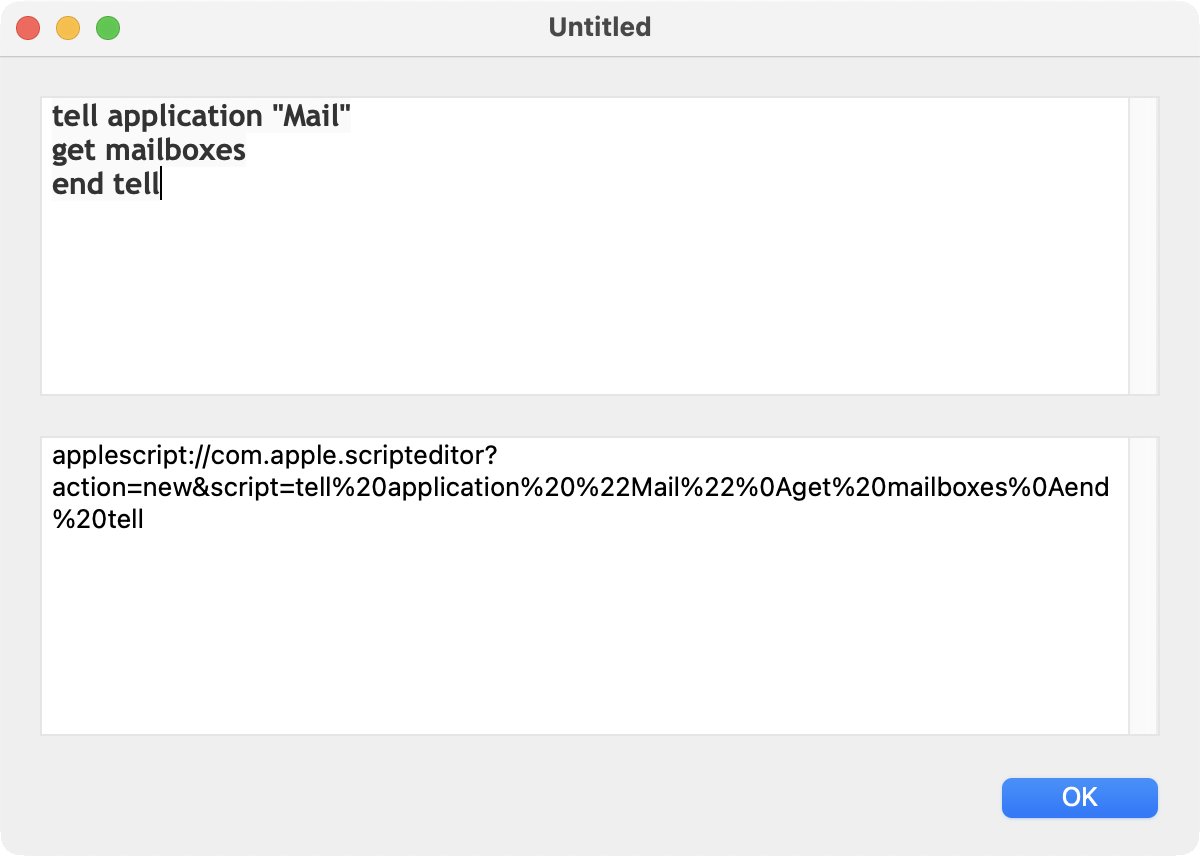
After clicking on the OK button the script is converted. Of course, I can immediately test the result. ScriptEditor is opened and shows the the wonderful security warning:

After clicking on New Script ScriptEditor copies the code into a new script:
Using AppleScript to make a linkable AppleScript
What is one line in Xojo was quite a bit more challenging in AppleScript.
First I needed the function to encode urls with the wonderful name of "string By Adding Percent Encoding With Allowed Characters":
on urlEncode(input)
set rawURL to current application's NSString's stringWithString:(input)
set allowedCharacters to current application's NSCharacterSet's alphanumericCharacterSet()
set theEncodedURL to rawURL's stringByAddingPercentEncodingWithAllowedCharacters:(allowedCharacters)
return theEncodedURL as Unicode text
end urlEncode
I wanted to read script files and then convert those. But it's not possible to read script files as text. Using the clipboard also doesn't work because the clipboard in AppleScript is super fussy. I found a way to use text files instead.
First a text file is read in the line "choose file with prompt". The type makes sure that only text files can be selected. Then the text is fed to the function I did above. Here is the result:
use framework "Foundation"
use scripting additions
set theAlias to choose file with prompt "Please select a text file:" of type {"public.text"}
set FileContent to read theAlias
set theScript to "applescript://com.apple.scripteditor?action=new&script=" & my urlEncode(FileContent)
return theScript
on urlEncode(input)
set rawURL to current application's NSString's stringWithString:(input)
set allowedCharacters to current application's NSCharacterSet's alphanumericCharacterSet()
set theEncodedURL to rawURL's stringByAddingPercentEncodingWithAllowedCharacters:(allowedCharacters)
return theEncodedURL as Unicode text
end urlEncode
The result shows up at the bottom. For AppleScript the enclosing " need to be removed:

Of course, I used the AppleScript to encode itself: Link to script