


The AppleScript from the "Getting started with AppleScript" blog article was super boring. Usually, I want to interact with what is automated. Alfred can do this in 2 ways: environment variables and parameters.
Changing from NSAppleScript to Script (osascript)
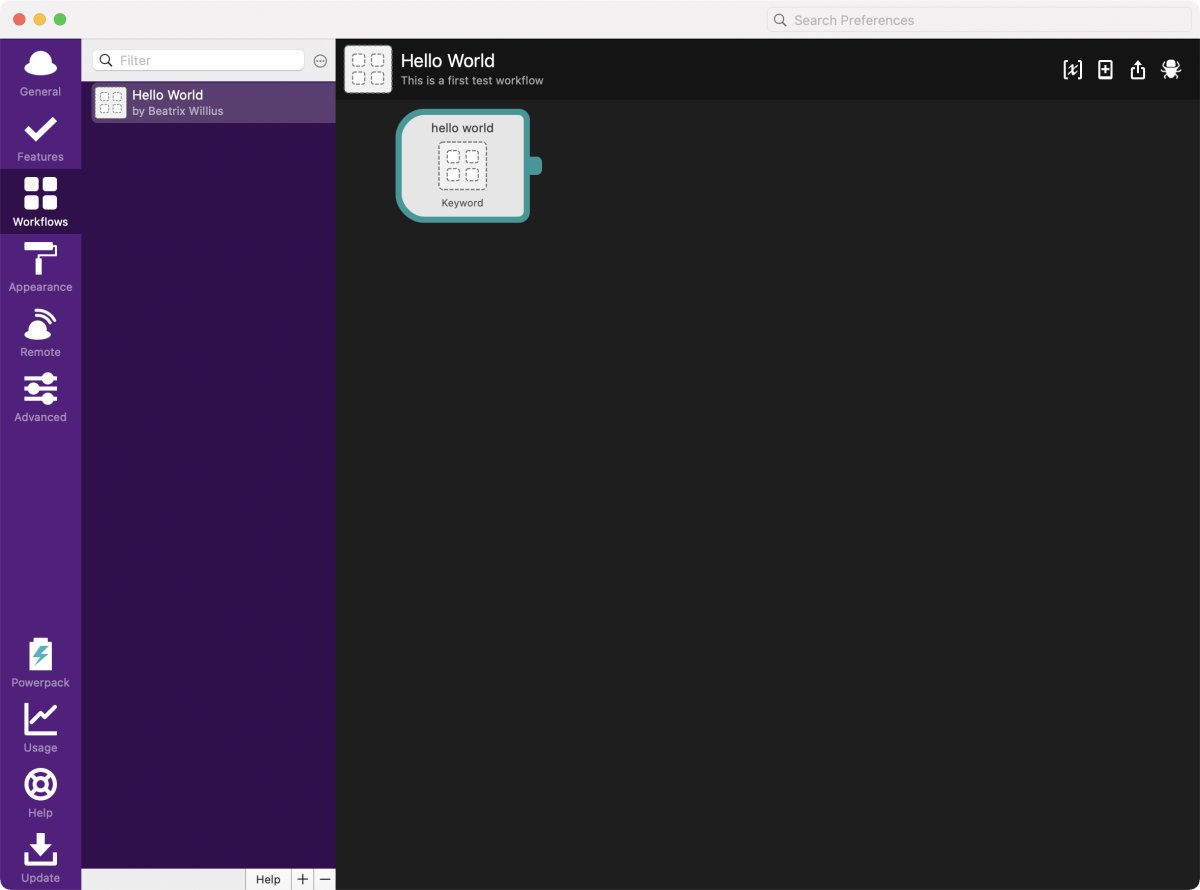
But before I can discuss environment variables and parameters I need to change the NSAppleScript to Script. First I need to remove the tile for NSAppleScript by selecting the tile and pressing the back key:
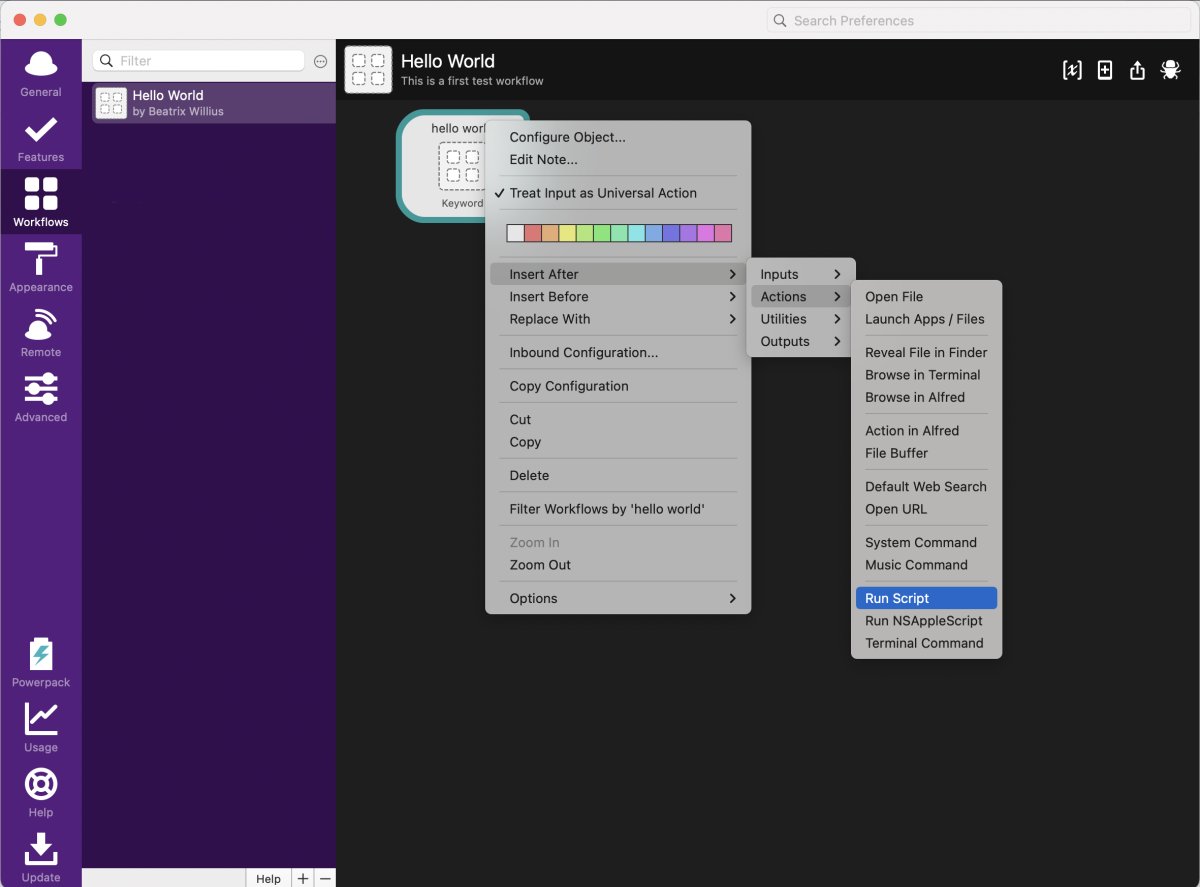
Now I can add a script action with Insert After -> Actions -> Run Script:
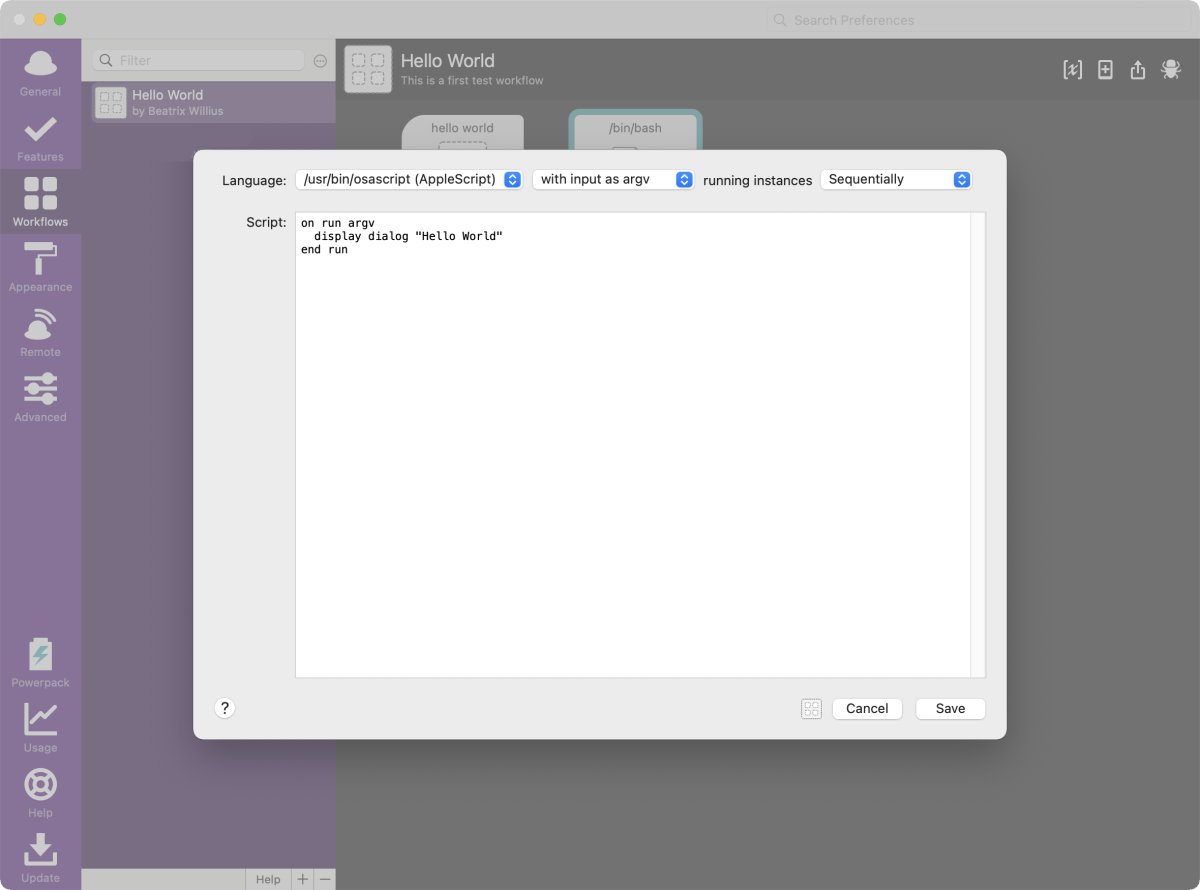
With /usr/bin/osascript selected the script I make the same (boring) script as before:
Environment variables
My goal is to write an AppleScript for saving the attachments to a fixed folder. I have 2 computers. The main computer has all the development stuff and the name of the user is "beatrixwillius1". The second computer is only used occasionally for testing. When I check my tickets there the information goes to Dropbox. The user name of that computer is "beatrixwillius". So I need something that can be different on 2 computers. This is an environment variable.
After clicking on the [x] in the upper right side I get the sheet for setting the environment variables:
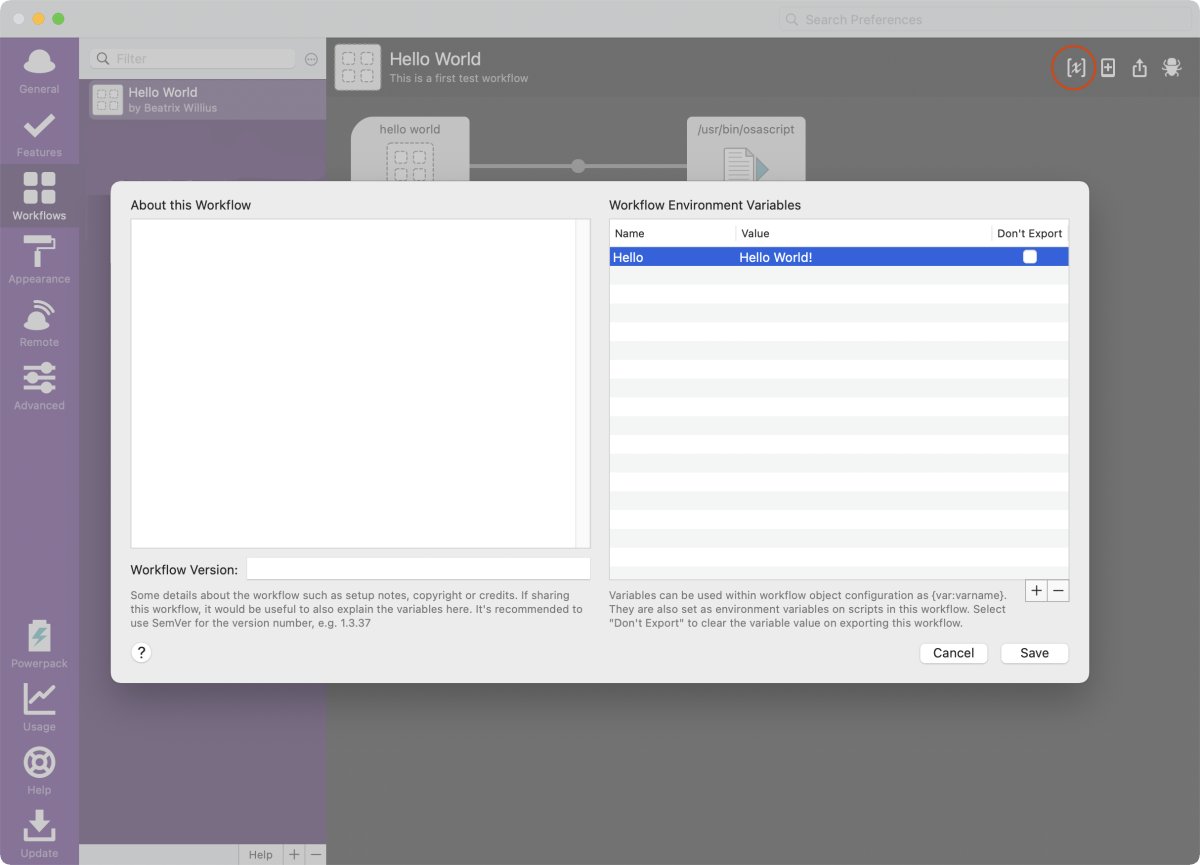
Again I start out super simple. Clicking on the plus button adds a new variable. Clicking on the minus deletes the variable. "Don't export" is for sharing - even if it's only with myself. If I export the workflow with the checkbox checked then everyone else gets "Hello World!", too. With the checkbox unchecked the value is not exported and each user has to input their own values. This makes sense for my attachment saving script because this is going to write to different locations on my 2 computers.
The "Hello" variable is used in the AppleScript with system attribute and the name of the variable in quotes. This gives me
display dialog (system attribute "Hello")
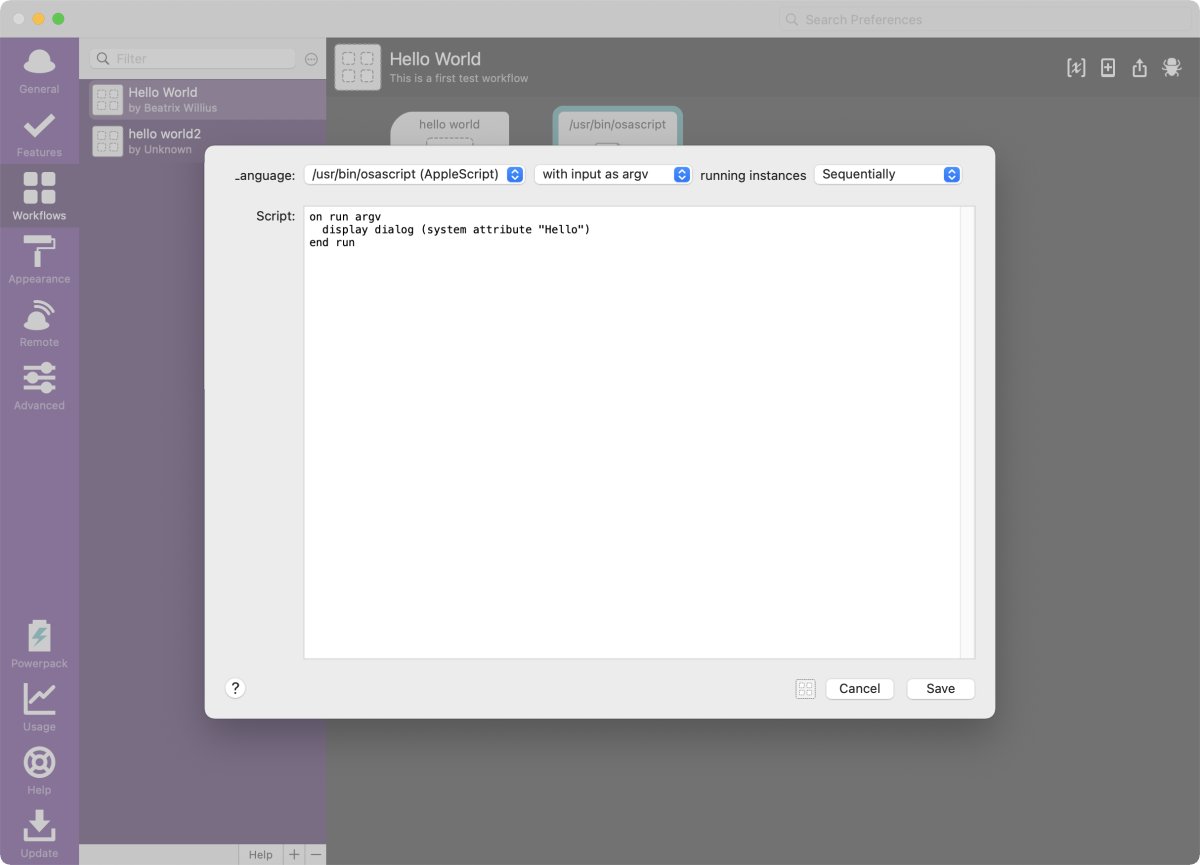
Running the workflow again gives me my fascinating "Hello World!" dialog.
Parameters
Now let's do something a bit more fun. I'm changing the "Hello World" workflow to take an argument:
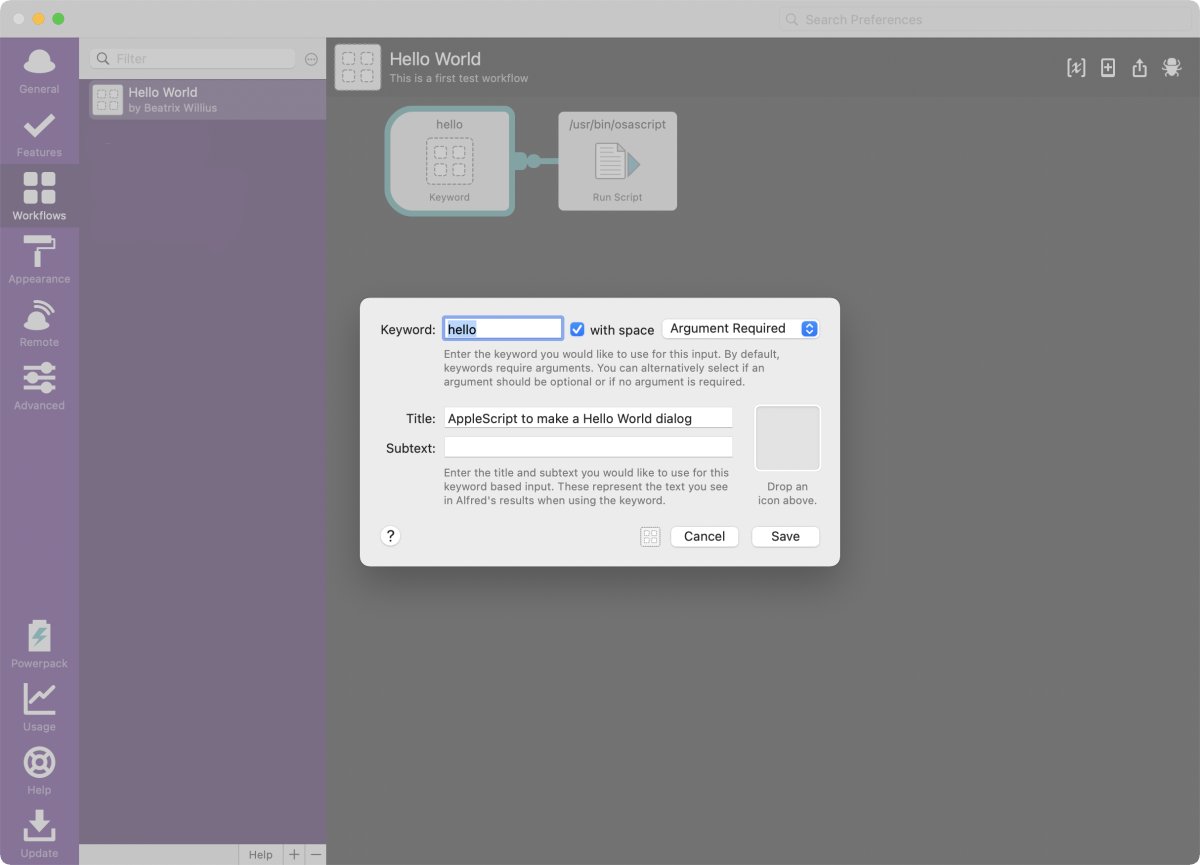 Now I have to write "hello something" to execute the script. The "something" is the argument. I need to change the osascript to also show the "something". After the script language dropdown there is another dropdown with 2 values:
- with input as argv
- with input as {query}
Alfred tries again to help me as much as possible with the default script for argv:
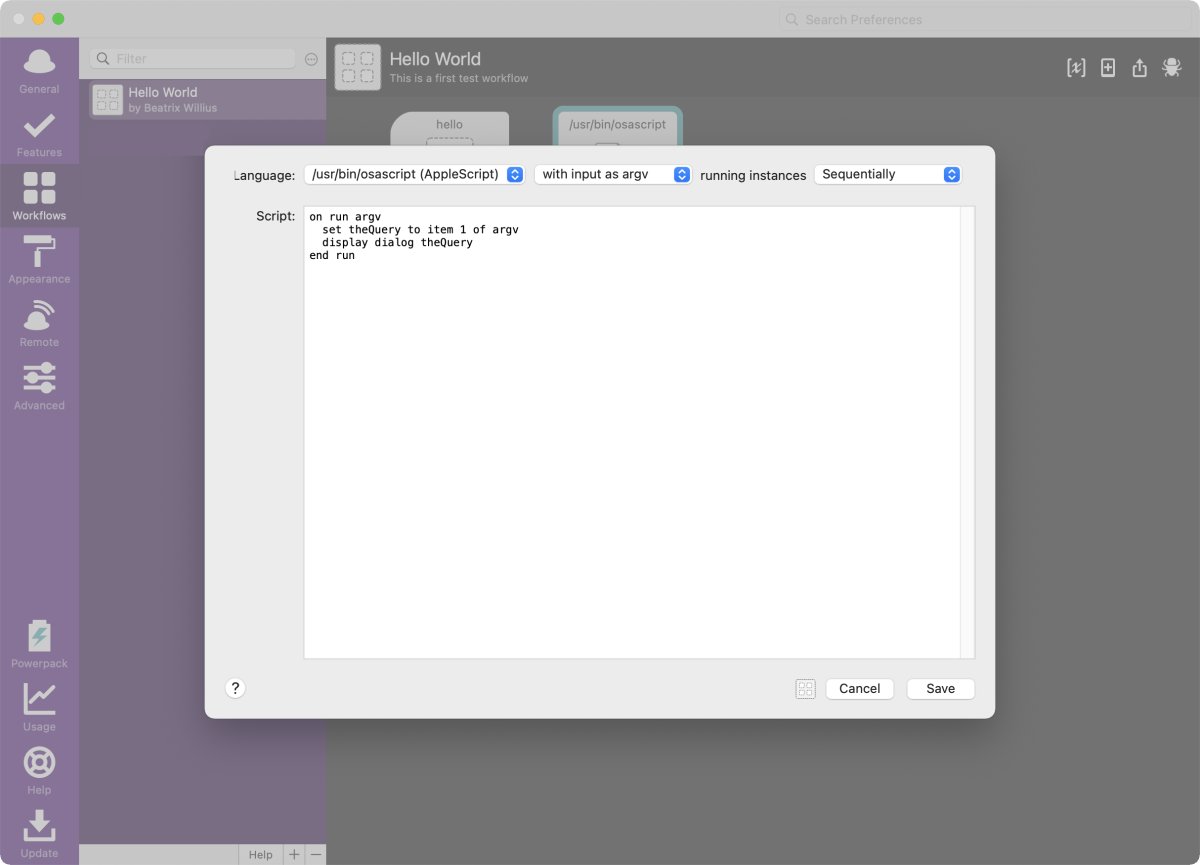
argv for the AppleScript is a local parameter that I have available for the script. So I just need to grab the first value and can use is for my "display dialog".
Executing the workflow with "hello something" gives me a dialog with "something" as result.
Using "with input as {query}" is similar. But here the workflow argument is directly replaced into the AppleScript:
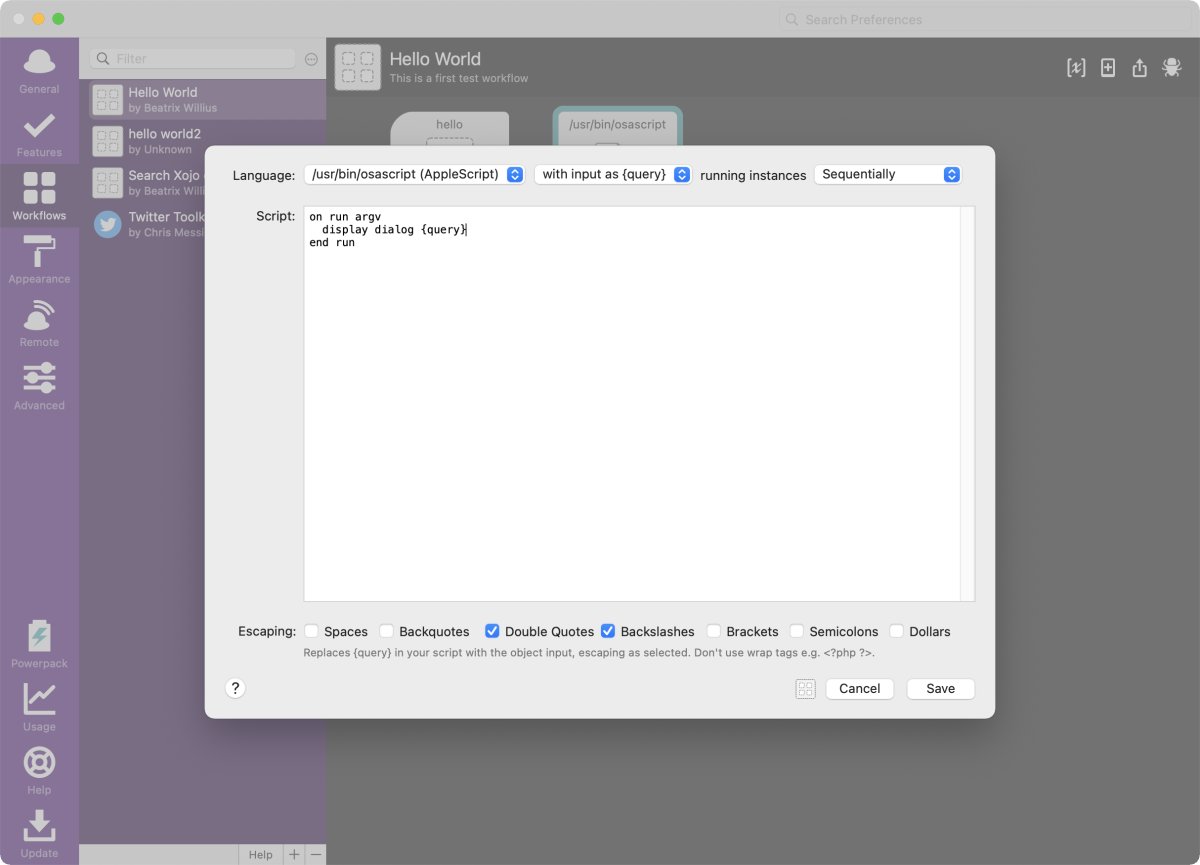
Executing the workflow gives me an error. But I can use the debugger to easily find the problem:
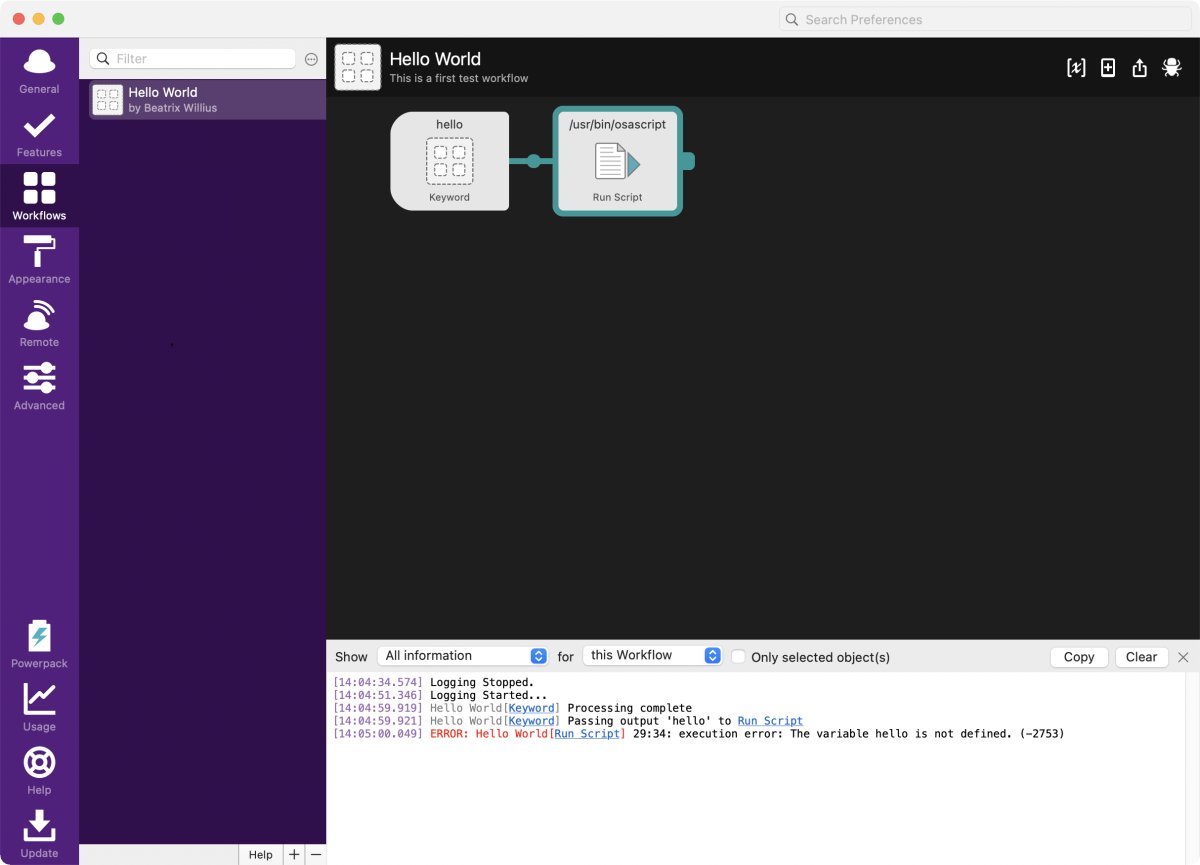
Because the value from the workflow argument is directly replaced the AppleScript needs to have quotes around the {query}:
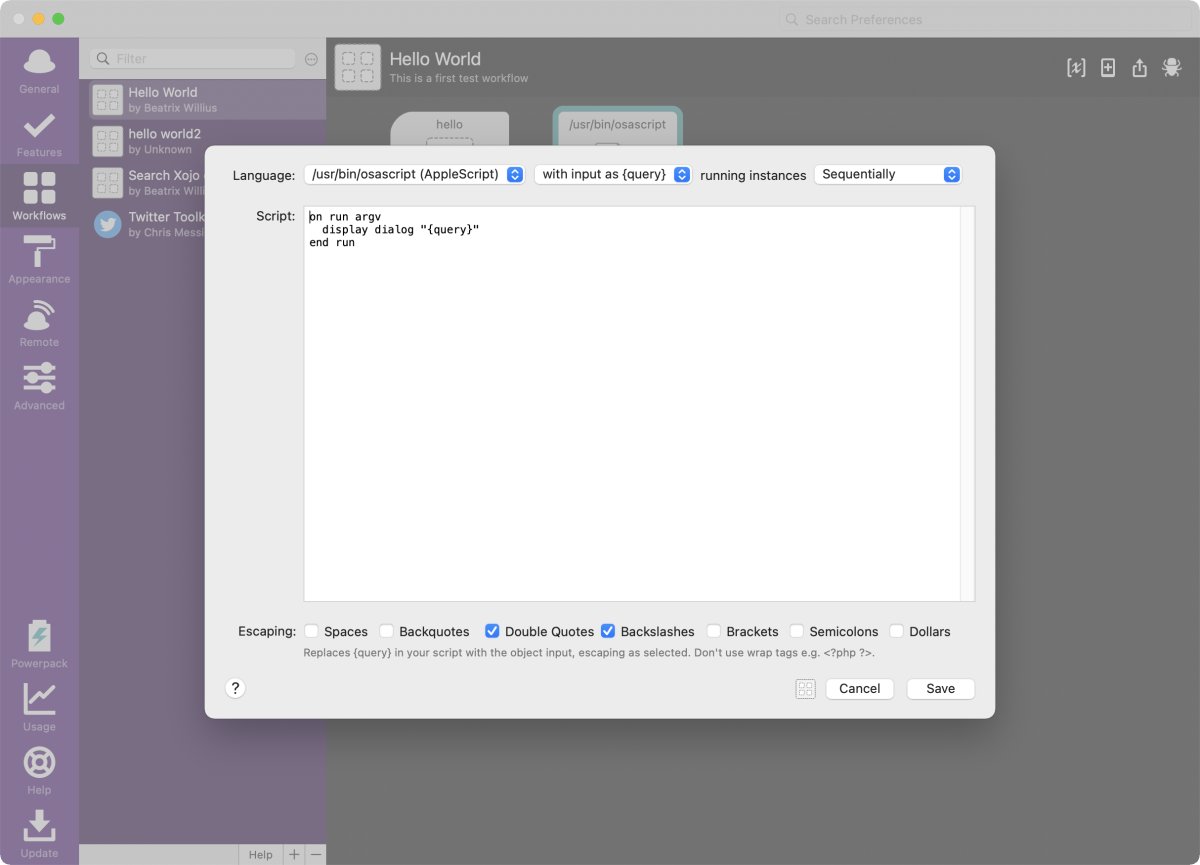
At the bottom of the AppleScript pane are checkboxes for escaping special characters. You don't need those for the environment variable and the parameters because those are in the AppleScript. For the {query} the value is directly replaced. The special characters of a value need to be treated differently than normal characters.
If you have a double quote in the value of {query} then the script could become:
display dialog "some"thing"
This isn't going to work because "some"thing" is not a proper string. Instead I have to escape the double quote in the string with a backslash:
display dialog "some\"thing"
Alfred handles the escaping so that it's not necessary to do this in the AppleScript.
Finished for today
We now have a good understanding how to execute AppleScripts in Alfred with a typed command. The next article finally will do something more interesting.