


In How to block an email in Mail and Outlook I said I had to block a persistent so-called security researcher who wanted a "beg bounty". Today I'm going to block emails in Thunderbird/Postbox and Gmail.
Blocking an email in Thunderbird
Thunderbird doesn't have a blocking feature like Mail or Outlook do. Instead I have to create a filter and then add persons to the filter.
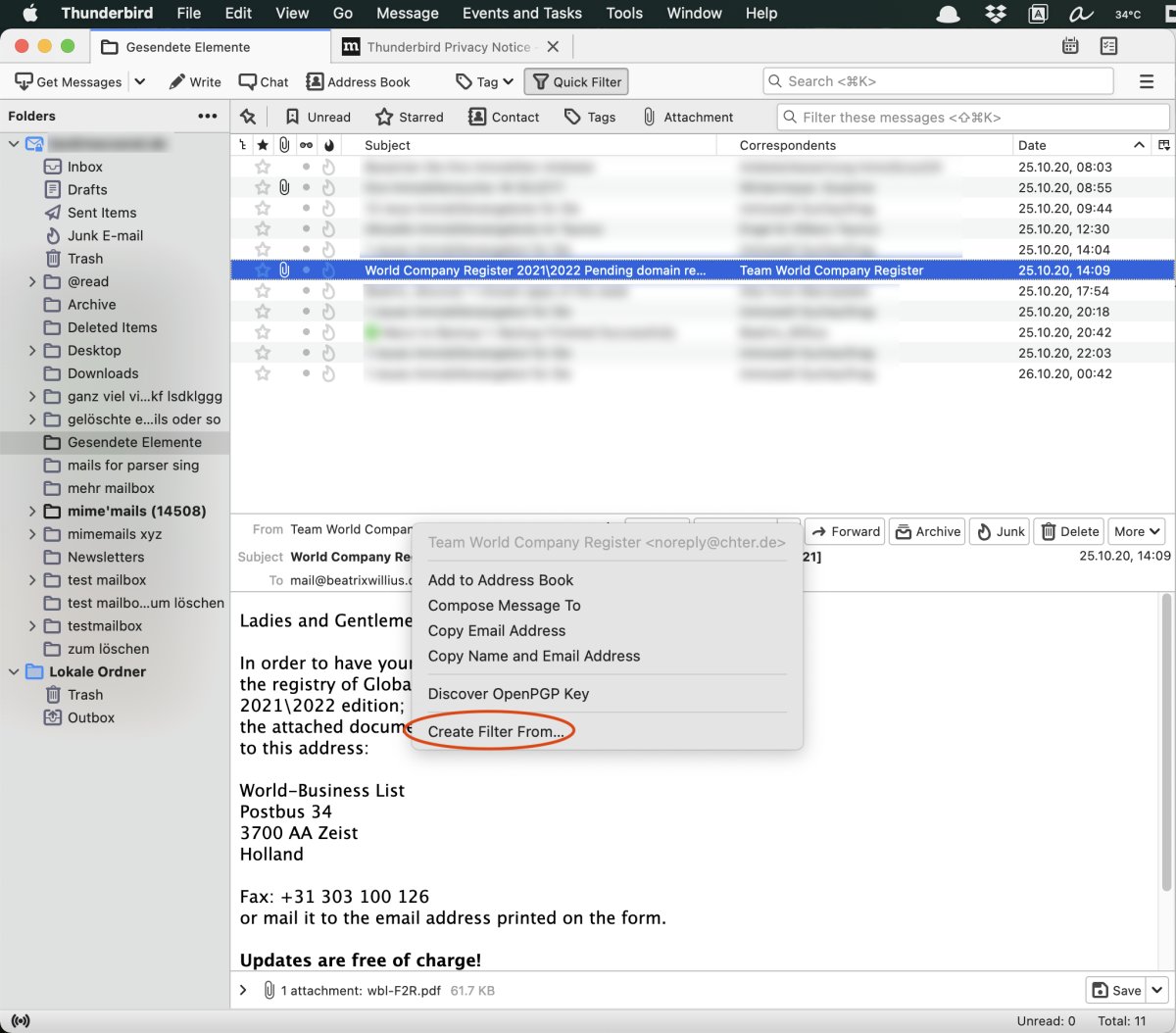
I need to do a right mouse-click on the From in the open email. Then I select "Create Filter From..." from the context menu:
I gave the filter a nice name "Block". Now the filter needs an action. Below I made the filter move the email from the sender to the trash:
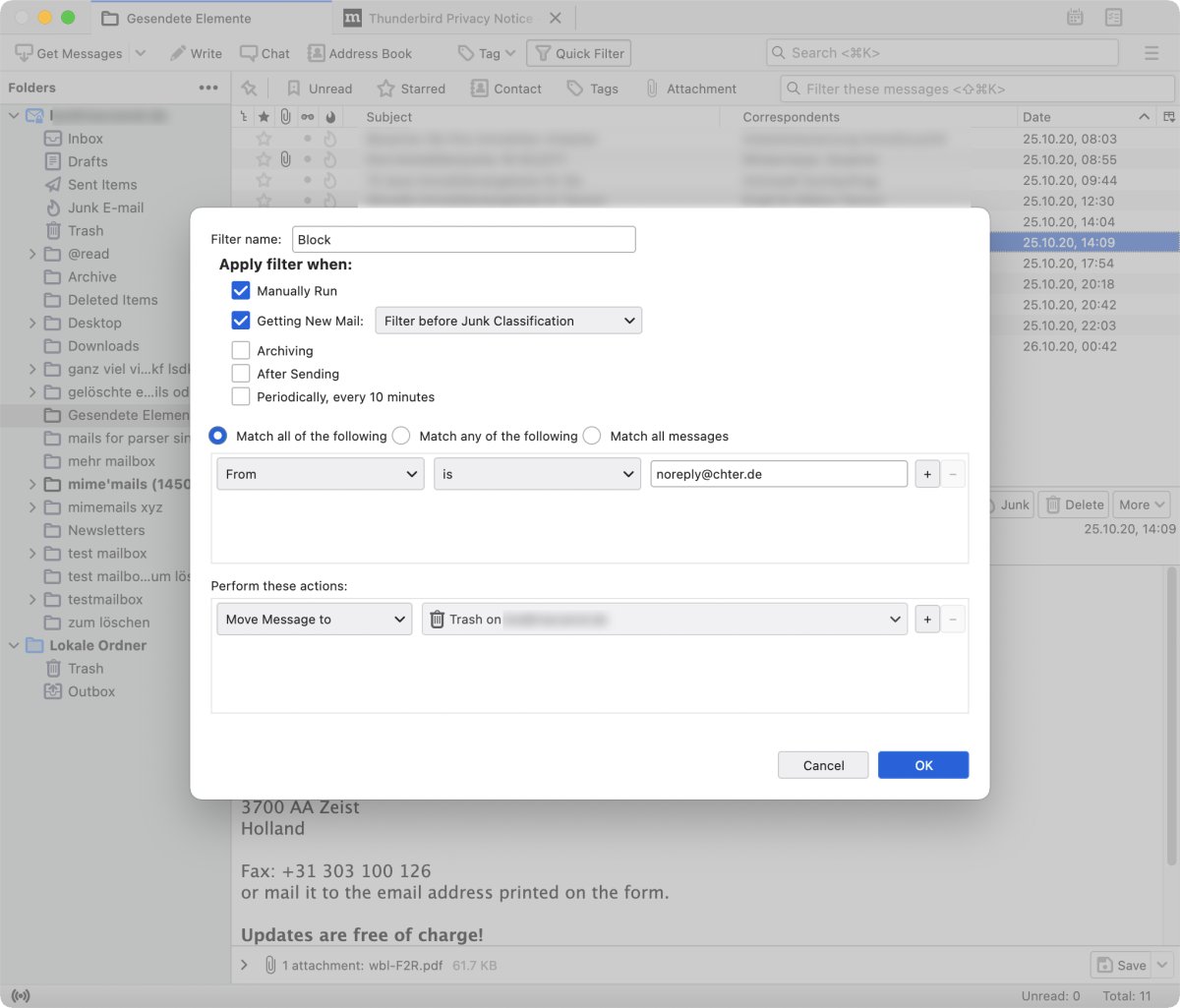
Clicking on OK closes the window. As the filter now exists I need to edit the filter if I want to block more persons. After clicking on the plus button of the first blocked person I get another row to enter a new name:
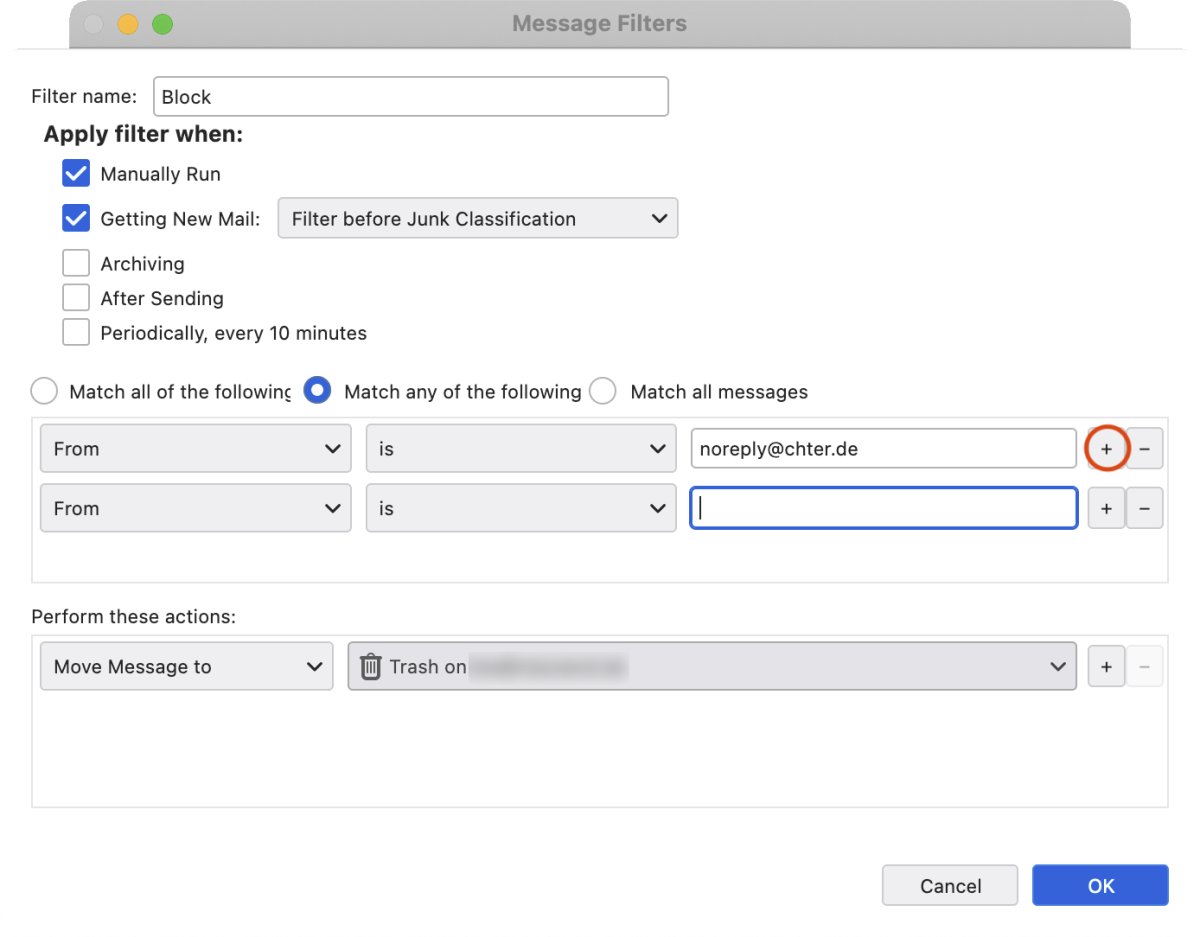
Super important: the match type above the filter rows needs to be set to "Match any of the following". Otherwise, the filter won't work at all.
Blocking an email in Postbox
While it may look more modern than Thunderbird Postbox was built on top of Thunderbird. Therefore, it behaves in many ways like Thunderbird. Like Thunderbird Postbox doesn't have a blocking feature. I have to create a filter for the blocked person:
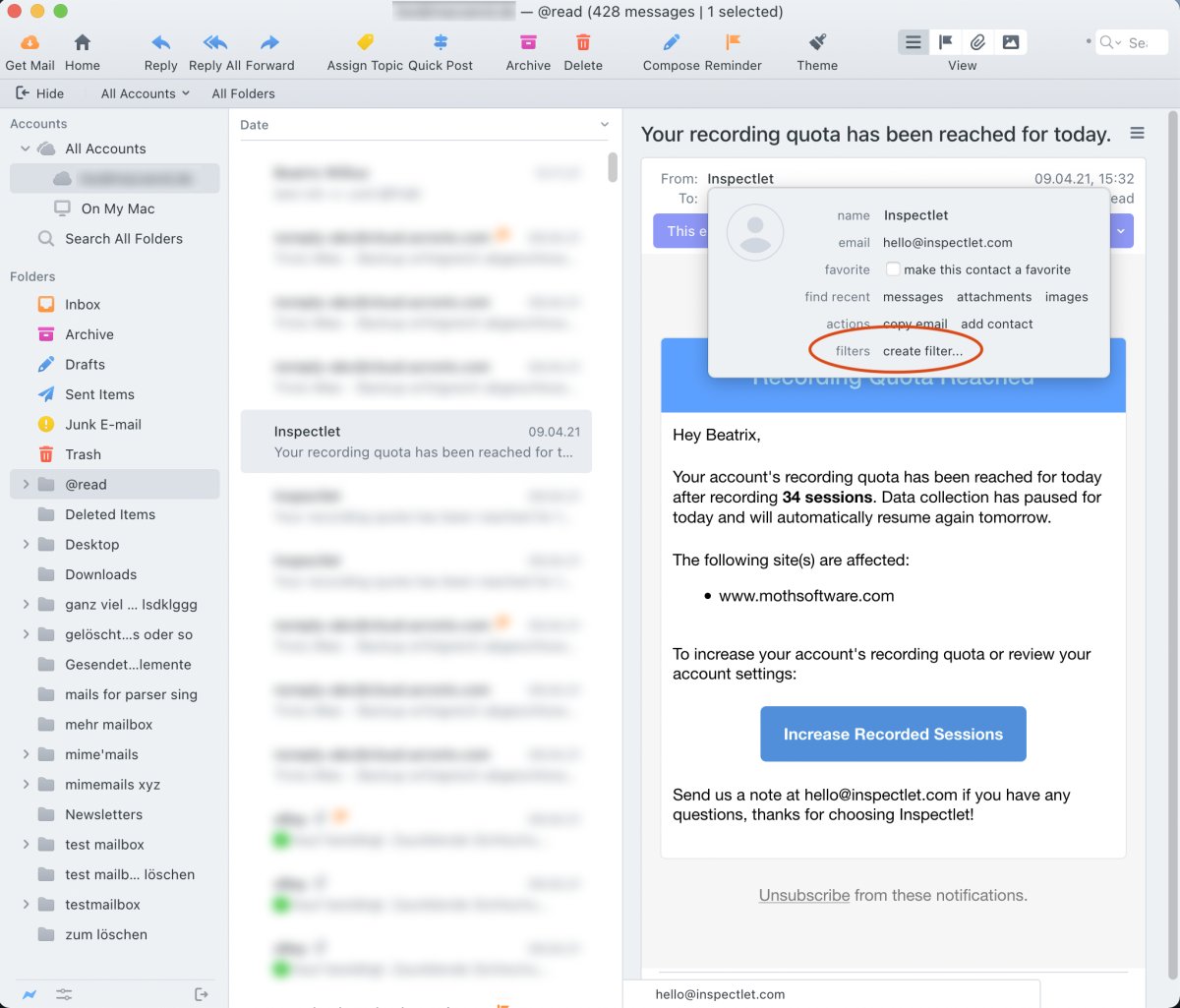
The filter works like in Thunderbird.
Blocking an email in Gmail
Emails from blocked persons in Gmail are treated like spam.
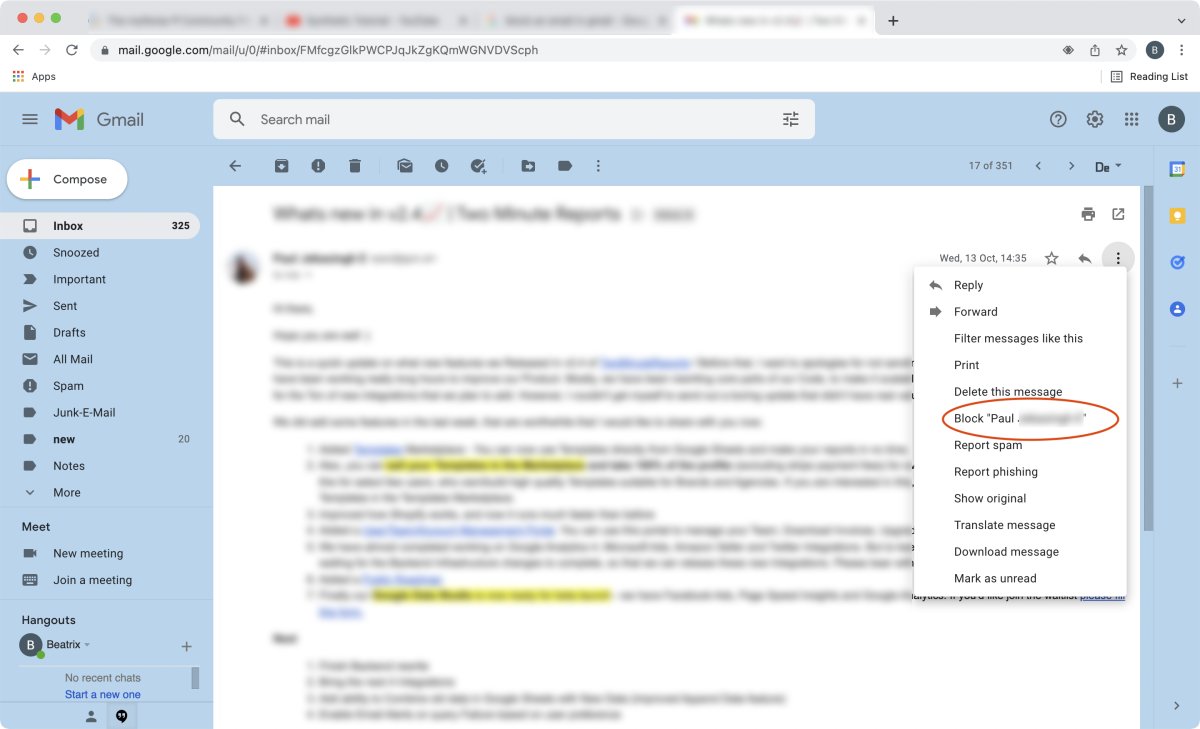
After opening an email and clicking on the menu with the 3 dots I get the action menu. There I can do a "Block persons name" to block an email:
Gmail wants that confirmed:
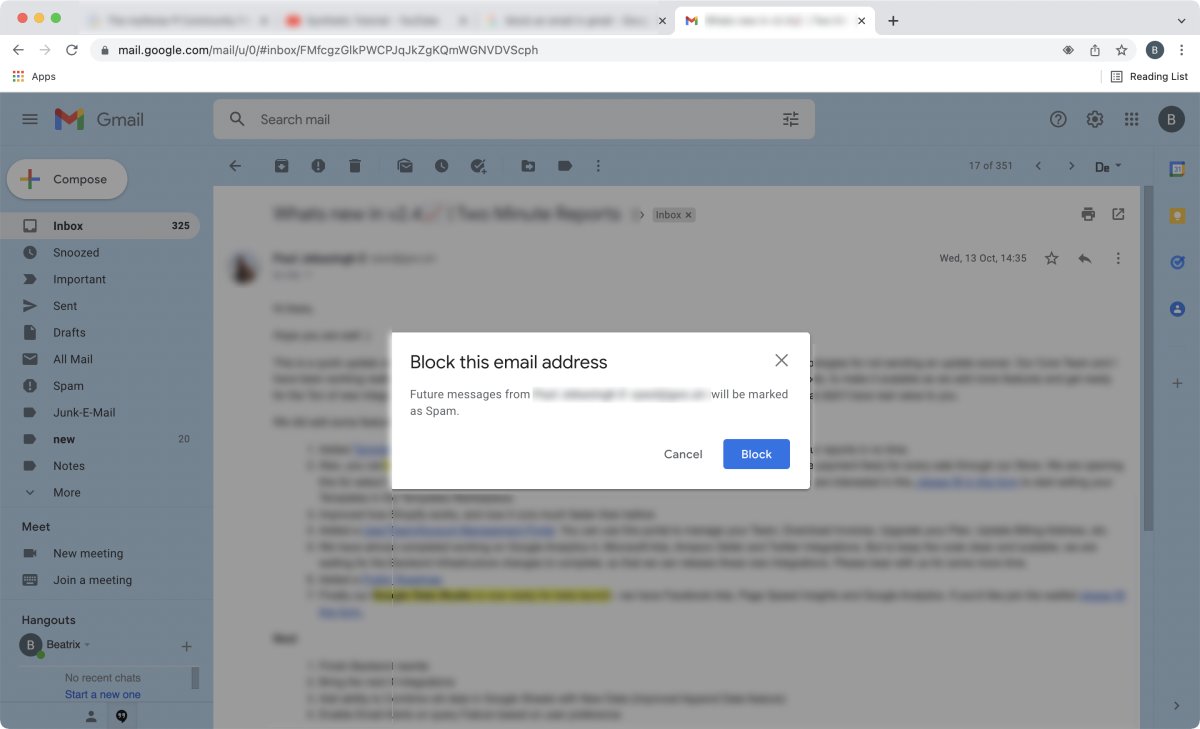
Like in Outlook there is a help text that from now on emails from that person will be moved to the spam folder.
That's it for blocking emails.