


To make bugs is human. An important part of doing software development is fixing bugs. Or more general: finding and fixing problems. Getting clear error messages helps immensely.
When I tried to do the keycombo with Automator the keycombo didn't do anything right away. I didn't have any way to "debug" the problem because there was nothing to check.
Alfred has a simple method of diagnosing problems.
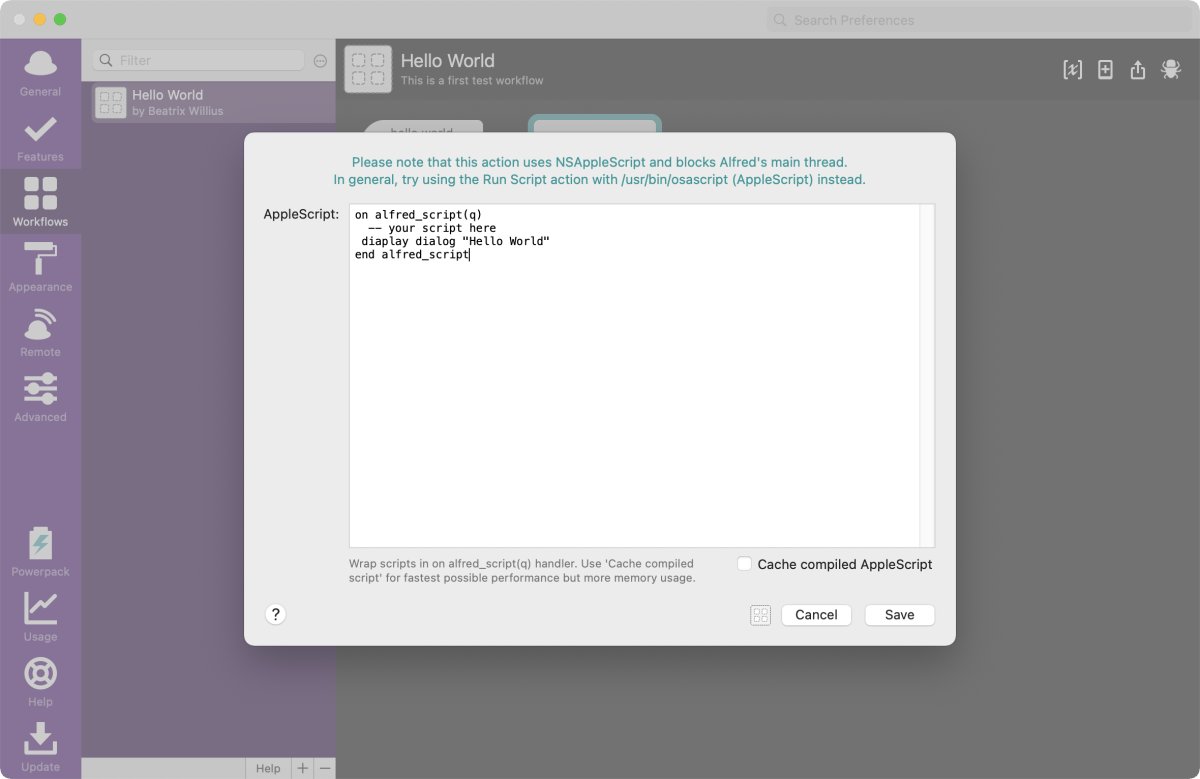
First let me make a tiny typo that results in an error. I changed "display dialog" to "diaplay dialog" with an a instead of an s:
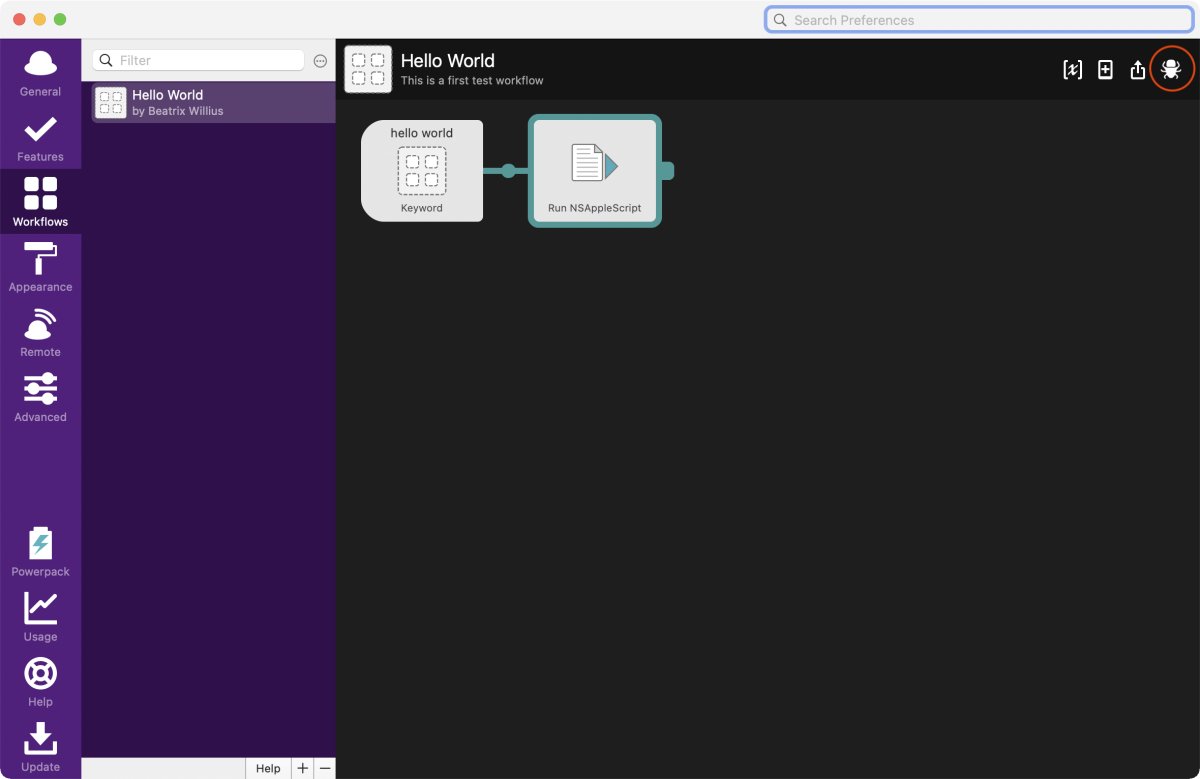
The debugger in Alfred is in the bug icon at the upper right side:
After clicking on the bug icon I see a pane at the bottom:
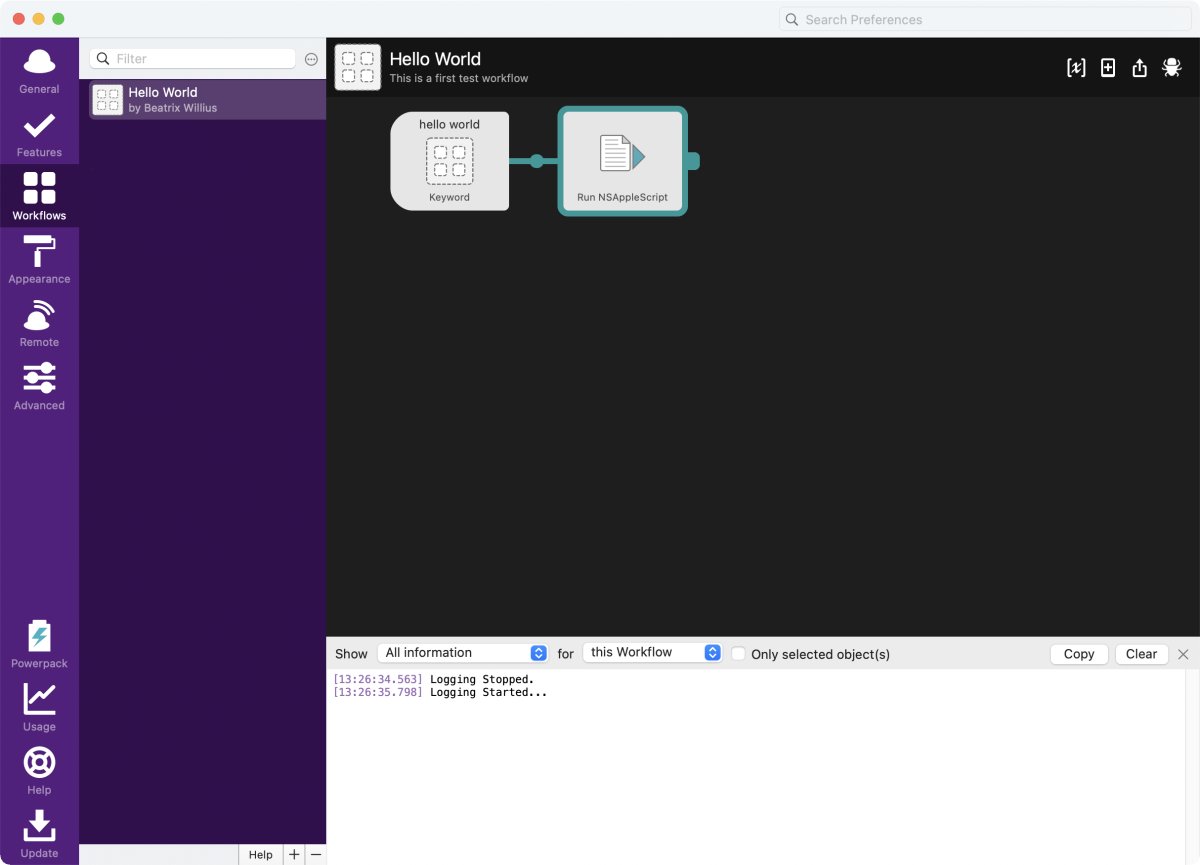
Right now I don't see much because I need to run the workflow. I can select between "Interesting Information" and "All Information". I've selected "All Information" here. I can debug the current workflow with "this workflow" and all workflows. I can also select to debug only the selected objects. I only have one very simple workflow that consists of 2 steps. Here it really doesn't make a difference. The more specific searching for a problem is the easier it is to solve a problem. I'd never do a debug on all workflows.
After running the workflow I get some information:
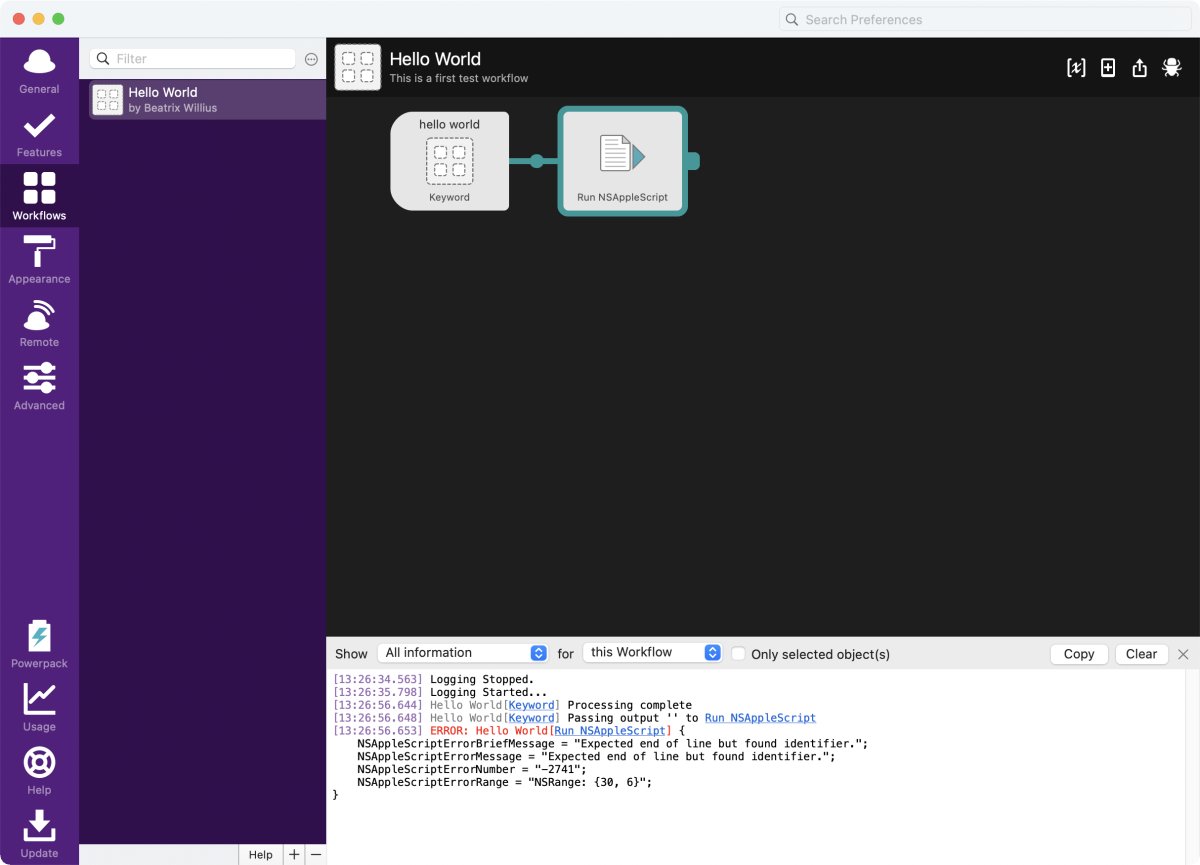
There is an error message "Expected end of line but found identifier". Unfortunately, AppleScript error messages can be a bit confusing. Important is the range of the error. This tells me that the error starts at character 30 and ends at character 30 + 6 = 36.
It's possible to copy the logging info with the copy button. Between debugging sessions it's possible to clear the debugging pane with the clear button.
The AppleScript editor shows the same error:
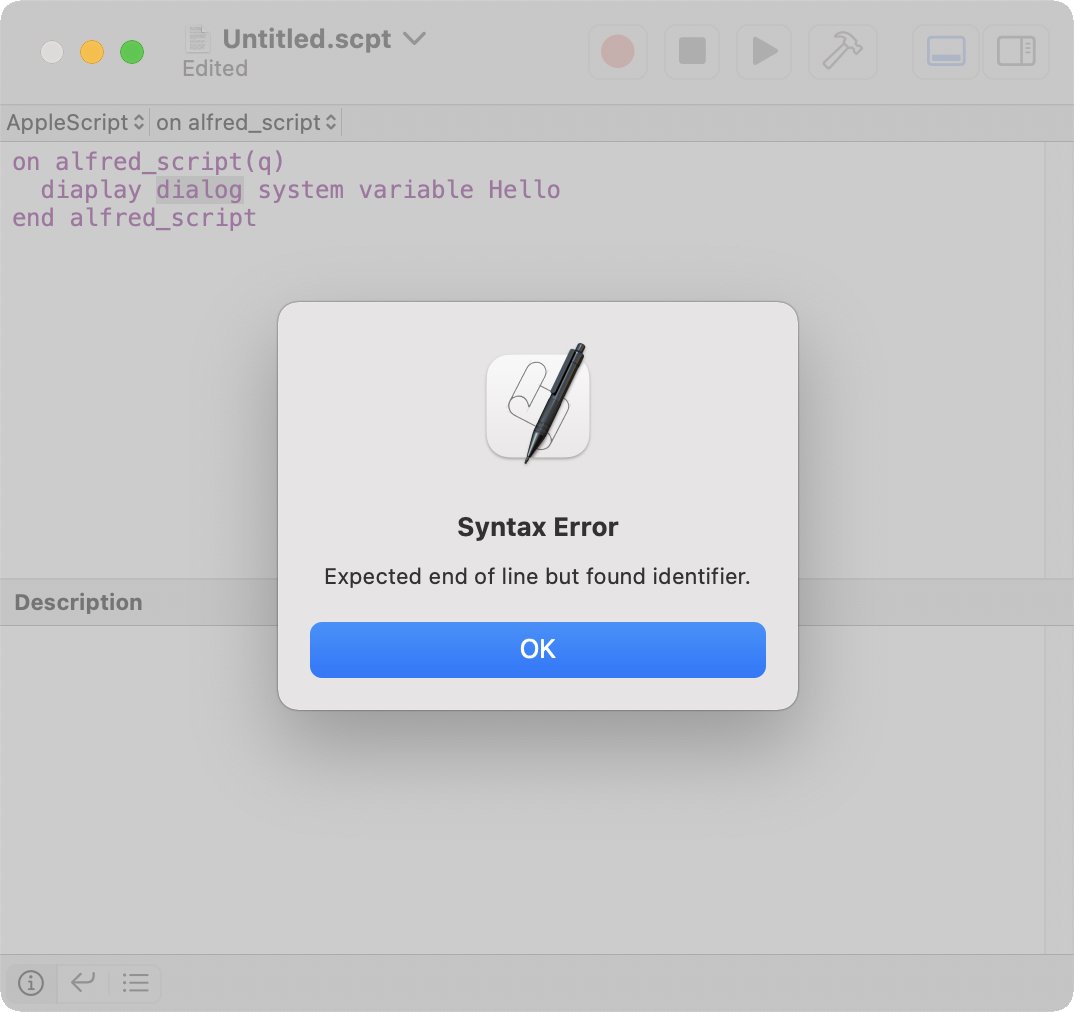
But you can see that in the background "dialog" is highlighted. This shows the characters from 30 to 36. It's a pity that the information isn't shown in Alfred.
For this reason I'd do the AppleScript fully in the Script Editor and then copy the finished script to Alfred. But it's good to know that Alfred has such a simple method of debugging scripts.